
Thank You for Your Interest
We appreciate your interest in our services. Our team has received your request and will be in touch soon.

Streamline resident approvals, cut down on manual paperwork, and keep decisions organized in one place. Whether you manage one association or an entire portfolio, QuickApprove helps your team and board review applications, coordinate decisions, and generate decision letters with less admin work.
Book your free demo
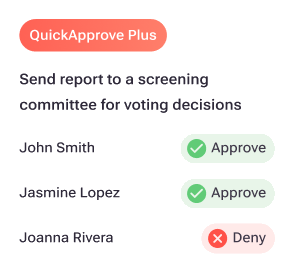
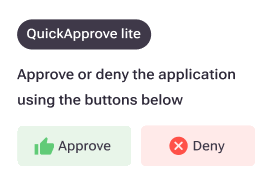


Your association retains control over approval decisions. QuickApprove comes in two options. With Lite, your management team records the authorized decision. With Plus, authorized board members review and decide right in the platform.

Your day is already full of applicant status calls, missing documents, and follow-ups. Manually preparing approval letters shouldn't add to it.
QuickApprove Lite lets your management team record the authorized decision right on the completed screening report, and the decision letter is generated for you.


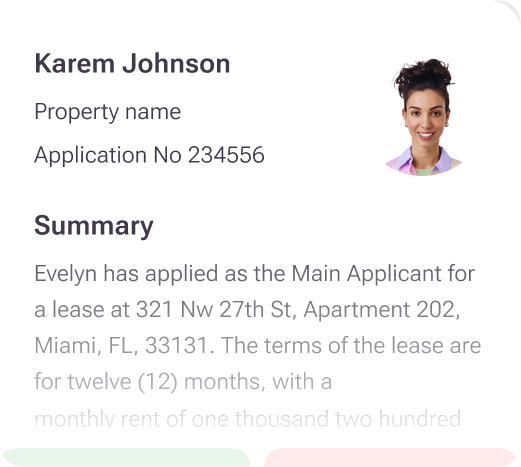




Approvals stall when reports go out by email, board members juggle logins, and nobody is sure where an application stands.
QuickApprove Plus includes everything in Lite and brings your board or screening committee into the platform. Your manager sends the completed report to the committee in one step, and each member is notified.


QuickApprove Lite
QuickApprove Plus
Best Suited For
Management teams
Boards and screening committees
Decision Workflow
Management records the authorized decision
Authorized members review and decide within the platform
Decision Letters
Generated automatically
Generated with integrated signing and delivery, subject to configuration
Collaboration
Managed outside the committee workflow
Centralized committee communication
Main Benefit
Reduce manual administrative work
Streamline the committee approval process
Self-managed association? QuickApprove works for you, too.
From the completed screening report to the signed decision letter in three steps.

Each applicant gets one consolidated report, ready for a decision.

Your management team records the authorized decision, or your board decides in the platform. Voting members recommend, and decision-makers approve or deny.

The letter is signed and sent to the applicant, so the new resident's onboarding keeps moving.
Managers and applicants share what working with TenantEvaluation feels like.
“It's fast it's easy it makes every transaction seamless love it I wish all Condominiums would have it makes my job easier and the application is so easy.”
“Very easy to use, quickly reviewed documents and got my information sent out!.”
“Tenantev did an excellent job keeping me informed at all steps.”
“User friendly/ professional/confidential service.”
“Excellent customer service, very helpful and pleasant, easy to process. Thank you.”
“Seamless experience.”
See how QuickApprove works for your association.
What QuickApprove takes off your plate
Decision letters, ready to go
Generated, signed, and emailed to the applicant.
Bring your board in with one step
Committee decisions are tracked in one place.
No passwords for board members
Board members open applications through a secure link.
Recommendations and decisions together
Voting members recommend. Decision-makers approve or deny.
Your free demo
Tell Us About Your Association or Portfolio
Share a few details, and we'll show you how QuickApprove can simplify your approval process.